Double Exposure Photography: Control Ghosting
- Published
- Reading time
- 6 min read
- Prepared by
- LiteGallery editorial team
To control ghosting in double exposure photography, decide which parts of the two images should overlap, then manage their brightness, contrast and alignment so the layers combine deliberately. Use clean silhouettes and uncluttered backgrounds when you want a clear composite; let shapes overlap more freely when a softer, more dreamlike effect is the goal.
Ghosting is the visible result of one exposure showing through another, and it can make an image feel either expressive or confusing. Double exposure photography becomes easier to control when you treat each frame as a layer with a specific role: one can provide the main subject, while the other adds texture, detail or atmosphere.
| Workflow | Alignment control | Exposure control | Best fit |
|---|---|---|---|
| In-camera mode | Camera-dependent | Camera-dependent | Immediate preview and a finished blend |
| Layered editing | Independent repositioning | Independent opacity and masking | Precise refinement from separate files |
| Film multiple exposure | Depends on camera handling | Plan contributions before shooting | A single-frame analogue result |
What makes a double exposure look like ghosting?
Double exposure looks like ghosting when moving edges occupy different positions in the two images, leaving muddy overlaps or repeated contours in the finished frame. A building stays fixed between exposures, so pairing it with a moving subject gives the eye a stable anchor; two subjects moving across the frame are more likely to produce competing outlines.
A face, hand or bright edge with a doubled outline is a sign that the images are misaligned, not that the frame contains another subject. The effect is especially easy to read around crisp contours: compare the repeated edge with the surrounding image, rather than treating every pale shape as a separate figure.
Choose which image leads
Before combining the two images, decide which subject should remain visually dominant. Keep the second image in a less detailed area so its edges do not collide with the main subject’s contours; for example, a stationary building can provide structure while a moving person supplies the secondary image.
How should you balance exposure between the two frames?
Film exposure
To balance two film exposures, reduce each by 1 stop when both frames contribute equally; treat this as a starting point, not a guaranteed match. Film records both exposures on the same frame, so two normally exposed images can combine into an overly bright result. Scene contrast and film response affect the outcome, so judge the result rather than relying on the calculation alone.
- Equal contributions: reduce each exposure by 1 stop as the initial adjustment.
- Bright areas: protect detail in a white sky or illuminated window; once those highlights clip, aligning the frames cannot restore them.
Digital blending
For a digital double exposure, control the combined brightness by lowering one layer’s opacity or choosing a lightening blend mode. Check bright areas before increasing contrast: a white sky or illuminated window can lose detail to clipping, and frame alignment will not bring that detail back.
- Layer opacity: lower one layer’s contribution when the blend appears too bright.
- Lightening blend mode: use it as an alternative blending approach, then inspect highlights before adding contrast.
Which subjects and camera movements keep both images readable?
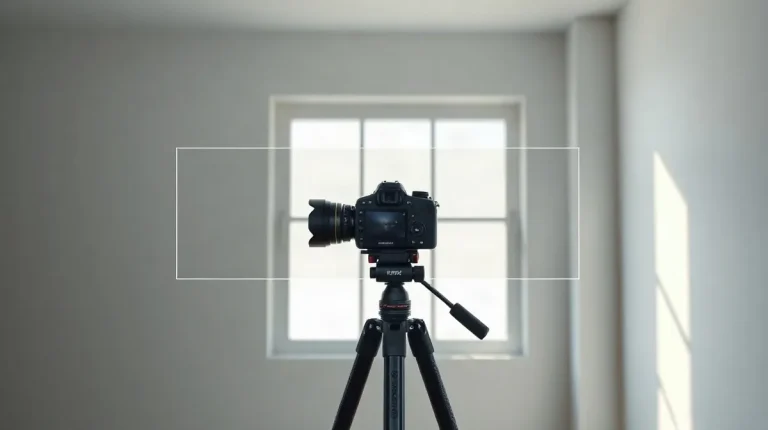
Tree branches pair well with open sky, while a fixed camera keeps both exposures aligned: choose one detailed subject and one uncluttered field, then use a tripod as a shared reference for the two frames. The branches supply crisp edges; the sky leaves fewer competing outlines, helping each image remain readable in the blend.
When the camera moves
If the camera must shift between exposures, align the frames in editing around a stable landmark, such as the corner of a building. That fixed edge gives the images a common reference even when other parts of the composition no longer overlap.
A person moving against a static background can create deliberate trails, because the background stays consistent while the person changes position. Add a second moving subject and the blend may form several competing contours, making it harder to distinguish each figure.
How do in-camera and editing workflows compare?
In-camera multiple exposure previews the combined frames in the camera and records the blend as one image, while an editing workflow keeps the frames on separate layers so you can adjust them independently. The camera method avoids a separate layer-editing step; Adobe Photoshop or another image editor gives you more control over each frame’s position, opacity and mask.
- In-camera: Check your camera’s manual for its multiple-exposure controls. Availability and blending options vary by model, so the manual is the place to verify how your camera previews and combines frames.
- Layered editing: Retain the original files and place each frame on its own layer in Adobe Photoshop or another image editor. Align the layers first, then refine opacity or use masks to control where the images overlap.
Choosing a workflow
Use the in-camera method when you want to see the composite on the camera and capture the blend without adjusting separate layers later. Choose a layered workflow when you need to reposition, mask or alter each frame independently; keeping the originals also lets you revisit those adjustments without losing the source images.
When does double exposure fail, and what should you change?
Common failure: competing detail.
Double exposure fails when two detailed, similarly bright subjects compete, when the frames shift, or when the first exposure leaves too little tonal room for the second; change the pairing, alignment, or exposure plan rather than trying to fix every problem in the blend. A busy background can swallow the main subject in a patch of overlapping detail, so simplify one layer or reduce its contribution.
- Competing detail: Pair a detailed subject with a plain background, or lower the visual weight of one layer so their textures do not merge.
- Handheld shifts: Use a tripod to keep the frames steady. If you shoot handheld, align a fixed landmark—such as a building corner or tree trunk—before adjusting the blend; otherwise, outlines may split.
- Bright first exposure: Plan and meter both frames before shooting. On film, an overly bright first frame can leave insufficient tonal room for the second exposure.
- Subject movement: Exposure adjustment cannot restore an important feature crossed by a moving subject. Reshoot with slower, more predictable movement, or choose a different subject pairing.
Before making the exposures, check whether the subjects share the frame cleanly, whether a landmark can anchor alignment, and whether the first frame is bright enough to crowd out the second. If any of those checks fails, change the setup before shooting rather than relying on post-processing to undo it.