Double Exposure Photography: How to Blend Two Frames
- Published
- Reading time
- 7 min read
- Prepared by
- LiteGallery editorial team
Updated: October 13, 2026
Double exposure photography blends two frames by layering one image over another, then adjusting their opacity, contrast, or blend mode so both contribute to the final picture. You can create the effect in-camera or combine the frames in editing software.
The result can merge a portrait with a landscape, place a texture inside a silhouette, or turn two ordinary scenes into one deliberate composition. The key is choosing frames whose shapes and tonal areas work together; this guide explores how to make that blend feel intentional rather than cluttered.
| Method | How images combine | Useful controls |
|---|---|---|
| Film camera | Two exposures on the same frame | Aperture, shutter speed, subject placement |
| Mirrorless camera | Multiple exposure in camera, if supported | Camera’s multiple exposure settings |
| Photoshop | Two photographs on separate layers | Alignment, opacity, masks |
| Luminar Neo | Two photographs combined digitally | Transparency and image placement |
What is double exposure photography?
Double exposure photography combines two images in one finished frame, letting their shapes, tones and details overlap. The first image can establish a recognisable subject, while the second adds texture or context in and around its outline. For example, a clear silhouette gives the added image a defined visual space rather than letting both frames compete equally.
Film and digital approaches
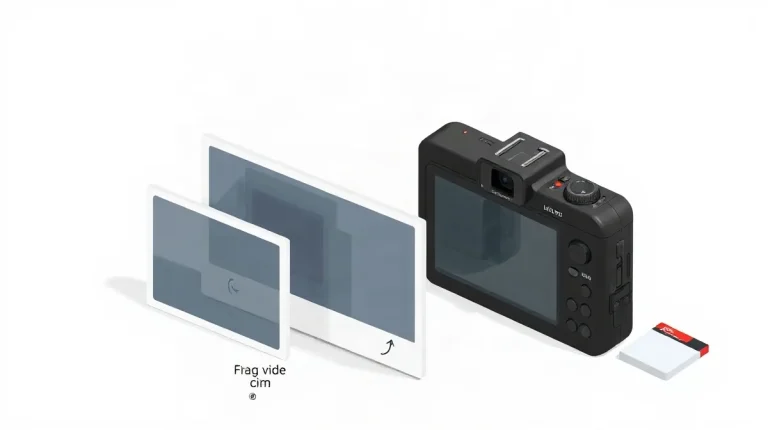
With film, the camera exposes the same frame twice: after the first exposure, the film advances only when the second image is made. Digitally, the two frames remain separate files and are layered in software such as Photoshop or Luminar Neo, where opacity can be adjusted to control how strongly each image shows through.
Film cameras and mirrorless cameras can both be used for double exposure, but the process differs in how much feedback it offers. A film photographer must plan subject placement and exposure before seeing the combined frame, while a digital photographer can review the layered result and refine it in editing software. In either approach, a distinct subject shape helps the second frame contribute detail without obscuring what the photograph is about.
How do you make a double exposure in camera?
Film and digital camera controls
To make a double exposure in camera, confirm that your camera supports multiple exposure capture, then expose two images on one frame and plan their combined brightness and composition. Mirrorless cameras may offer this through their settings, but availability depends on the model; check the camera’s own menu and instructions before shooting.
- Digital: Use the camera’s multiple-exposure setting if available, and check how it handles exposure across the two captures. Plan aperture and shutter speed for both images: because they share one frame, bright areas can build up and lose detail, while too much overlap can flatten the subject.
- Film: Make two exposures on the same frame. Follow the camera’s loading and frame-advance instructions so the second exposure lands on the first rather than advancing to a fresh frame.
For either method, compose the main subject first, then position the second scene to support its shape instead of competing with it. A distinct silhouette, for example, gives the overlapping scene a clear area to occupy; consider how both subjects’ bright and dark regions will combine before releasing the shutter.
How do you combine two images in editing software?
Opacity, alignment and masks
Combine two images by opening each as a separate layer in Photoshop or Luminar Neo, aligning the subject and background, then adjusting how the layers blend. Keep the original files so you can revise the composite without repeating the capture.
In Photoshop or Luminar Neo, lower the upper layer’s opacity gradually to reveal the photograph beneath. Check the main subject as you make each adjustment: if its outline or key features become hard to identify, restore some opacity or reposition the images before making further changes.
A layer mask can restrict the upper image to selected areas when a uniform overlay hides important details. Keep the two source photographs and the editable layered project; those layers preserve separate controls for alignment, transparency and masking, unlike a flattened composite.
How do you keep the main subject legible?
Keep the main subject legible by choosing a first frame with a distinct outline and keeping competing shapes in the second frame away from its edge. A profile or a simple object gives the blend a clear silhouette; if the subject has fine detail, pair it with a comparatively uncluttered second image. Similar contours and overlapping textures can merge, making both frames harder to read.
Check the blend at fit-to-screen and close viewing sizes: the smaller view reveals whether the subject registers at a glance, while close inspection shows whether details survive. If the subject vanishes at fit-to-screen, lower the second layer’s opacity or mask it away from key features in Photoshop or Luminar Neo.
Compare a monochrome preview with the colour version before settling the blend. Removing colour makes tonal separation easier to judge: if the subject’s outline or key features disappear in monochrome, adjust the layer opacity or mask before restoring colour. This check helps distinguish a readable double exposure from one in which texture overwhelms the subject.
When does double exposure go wrong?
Exposure and visual clutter
Double exposure goes wrong when the two frames compete for brightness, alignment or detail, leaving a washed-out or confusing image. With film, both exposures land on one frame, so plan for their combined effect rather than judging each photograph in isolation; two bright frames can overwhelm the final image.
- Brightness: On film, account for both exposures when choosing aperture and shutter speed. A bright first frame does not guarantee a balanced result once the second image is added.
- Alignment: A misplaced horizon or overlapping subject can produce unintended ghosting. In Photoshop or Luminar Neo, reposition a layer before finalising the blend; on film, decide where the second frame will fall before releasing the shutter.
- Detail: A highly detailed subject paired with a busy overlay can lose definition. Simplify the second image or place its visual detail over less important areas.
Film and digital workflows differ in how much correction they allow. Photoshop and Luminar Neo let you adjust image layers after capture, while an in-camera film exposure is harder to change once both photographs occupy the same frame. That makes subject placement and a deliberate choice of overlay especially important before taking the second shot.
Should you shoot in camera or edit the blend?
Choose in-camera multiple exposure when you want the blend shaped as you make it; choose editing when you want to keep the two source photographs separate and adjust their relationship later. A compatible mirrorless camera can combine exposures during capture, and film photography can create the effect by exposing one frame twice. Neither route is universally better: the choice is between shaping the blend at capture and refining it afterward.
- In camera: A compatible mirrorless camera or a film frame exposed twice gives you a combined image at capture. Choose this route when you want the overlap and placement to be part of the shooting process.
- In editing: Photoshop and Luminar Neo are digital options named for combining photographs after capture. Keeping the images as separate files lets you refine layer position, opacity or masks without having to make those decisions in camera.
Before combining the frames, decide which image carries the subject and which provides supporting texture; that choice matters whether you use film, a mirrorless camera, Photoshop or Luminar Neo. Choose based on the control you need rather than an unsupported model or settings recommendation.
Frequently asked questions
Can I create a double exposure with a mirrorless camera?
Can I make a double exposure in Photoshop?
How do I stop a double exposure from looking washed out?
Does double exposure photography require film?
What this piece draws on
- Ted's Cameras — “Double Exposure Photography Guide”
- digitalphotomentor.com — “How To Harness the Power of Double Exposure Photography – Digital Photo Mentor”
- greatbigphotographyworld.com — “Double Exposure Photography: Everything You Need to Know”
- Learn Photography by Zoner Studio — “Striped Double Exposure: How to Combine Two Images Using Blending Modes”
- Unique Photo Community — “Can you combine HDR with long-exposure landscape photography?”