Why Sensor Dust Appears and How to Spot It
- Published
- Reading time
- 6 min read
- Prepared by
- LiteGallery editorial team
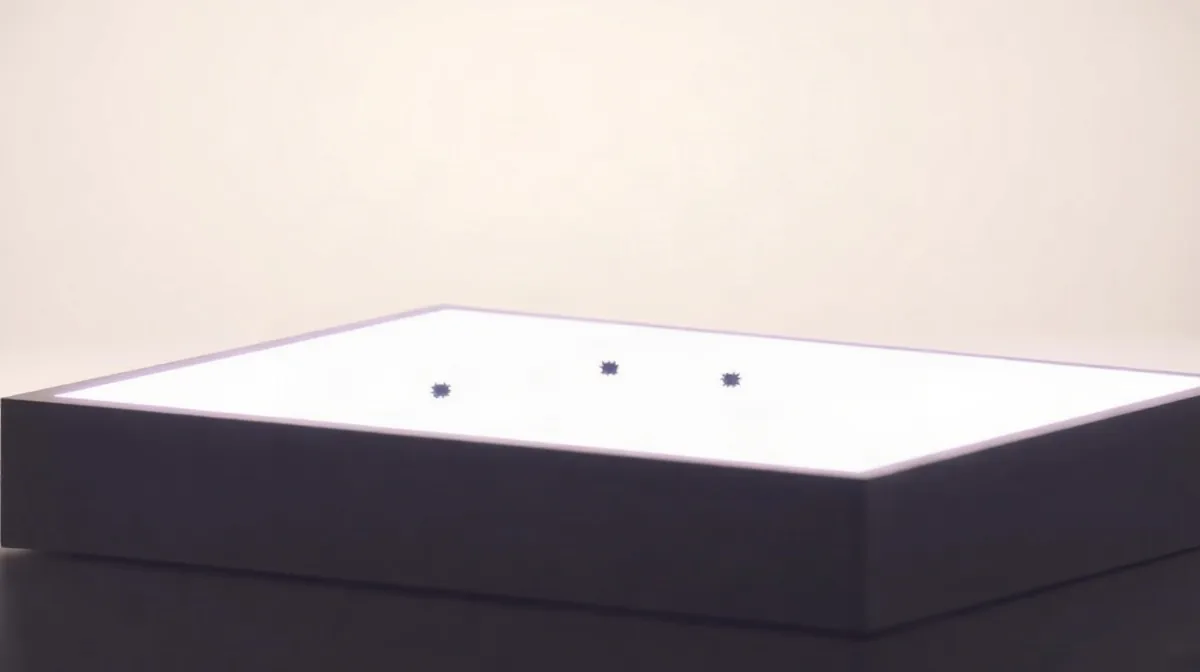
Sensor dust appears when airborne particles enter a camera and settle on the sensor’s protective glass, often during a lens change. It is easiest to spot in photographs of plain, bright areas, where specks show up as soft, dark marks—especially when you use a narrow aperture.
Because the particles sit close to the sensor, they usually stay in the same position from frame to frame, even as the scene changes. A quick check of an evenly lit wall or clear sky can help distinguish sensor dust from marks in the scene and show whether the sensor may need cleaning.
| Possible source | Position across frames | Useful check |
|---|---|---|
| Sensor contamination | Persists in the same image position | Test at f/16 or f/22 against an even surface |
| Scene detail or mark | Changes when the camera reframes | Rotate or reframe the camera |
| Lens or filter contamination | May change when the optic or filter changes | Repeat without the filter or with another lens |
| Uneven test surface | May resemble a spot in one test | Use a smooth, evenly lit surface |
How does dust reach a camera sensor?
Airborne particles reach an interchangeable-lens camera through the open mount when a lens is removed, then may settle on the sensor’s cover glass. Sony, Canon and Nikon mirrorless cameras expose the sensor area during a lens change, so keep the mount pointed down to reduce the chance of dust falling inside.
What the sensor mark actually means
A visible spot in an image does not prove that dust is sitting directly on the photosensitive surface: particles can rest on the cover glass above it. In a DSLR, the mirror and shutter sit between the mount and sensor during viewing, but they do not seal the camera body against dust.
Both camera types can admit airborne particles when the mount is open. The practical difference is that a mirrorless camera’s sensor area is exposed during a lens change, while a DSLR’s mirror and shutter provide an intervening barrier—not dust-proof protection.
Why does sensor dust show up at f/16 or f/22?
Sensor dust is more visible at f/16 or f/22 because the narrower light cone casts a sharper shadow from a speck on the sensor cover glass. At f/2.8, light reaches the sensor from a wider range of angles, softening that shadow. The dust has not moved: changing the aperture changes how clearly its mark appears, not where it sits in the frame.
Why the background matters
A plain sky or blank, evenly lit wall makes dust spots easier to notice because there is little texture to distract the eye. Fine detail in a busy scene can conceal a faint mark, even when it is in the same position in the image.
Compare the same view at f/2.8 and f/22: a spot may be faint in the wide-aperture frame and obvious in the narrower-aperture one. If it appears in the same place, that difference is consistent with the aperture sharpening the dust’s shadow rather than the speck shifting on the cover glass.
How can you check whether a mark is on the sensor?
Check for a sensor mark by photographing a bright, uniform surface at f/16 or f/22, then inspecting the image at 100% magnification. Keep the camera still and defocus the lens so the frame shows an even field rather than texture or other scene detail; small dark marks are easier to assess against a plain background.
Separate sensor spots from marks in the scene
Make a second test frame after rotating the camera, while keeping the uniform subject in view. A sensor spot remains at the same coordinates in the image, whereas a mark on the subject may shift position or orientation when the camera turns.
Compare several frames made with the same camera. A persistent mark with a similar shape in the same image position is consistent with sensor contamination; a mark that moves between frames is more likely to belong to the scene. Check at 100% rather than judging from a fit-to-screen preview, which can make small spots difficult to distinguish.
How do sensor spots differ from lens or scene artifacts?
A sensor spot stays fixed in the same position relative to the image frame across different lenses and scenes, while a scene mark moves when the camera reframes or the subject shifts. A small aperture makes sensor dust more distinct, so a mark that sharpens at a narrow aperture and stays put across shots is more likely to be on the sensor than in the scene.
Check the lens and filter before cleaning
A speck on a lens’s front element does not automatically appear as a sharp, dark dot: it may instead contribute flare or reduce contrast. Dust on a filter or elsewhere on a lens can also affect an image, so compare the same kind of shot without the filter and, if possible, with another lens.
- Sensor: the mark keeps the same frame position across lenses and scenes, and is clearer at a small aperture.
- Scene: the mark changes position when the camera reframes or the subject moves.
- Lens or filter: the image may show flare or reduced contrast; test without the filter and with another lens before cleaning the sensor.
When can the test mislead, and when should you clean?
A sensor-dust test can mislead when the surface has texture, uneven light or cloud detail; clean only after a mark remains visible on a smooth, evenly lit surface. A wall’s bumps and shadows can look like spots in the test image, while clouds may contain detail that resembles dust.
A mark that appears in just one photograph may come from the scene, a passing shadow or flare rather than the sensor. Compare several frames of the same smooth, evenly lit surface: a persistent spot in the same image position is more suggestive of sensor dust than a detail that changes or disappears.
Judge the mark in your working photographs
The f/16–f/22 check is designed to make small spots conspicuous, so it can exaggerate a problem that is barely visible at the apertures you actually use. Check real photographs made at those apertures before deciding that cleaning is necessary. Never touch the sensor cover glass with your fingers or an ordinary cloth; if the camera’s cleaning instructions do not clear a persistent mark, consider professional sensor cleaning.