Are GoPro Mounts Universal? Fit and Adapters
- Published
- Reading time
- 6 min read
- Prepared by
- LiteGallery editorial team
GoPro mounts are not universal, but many use a shared three-prong interface that fits compatible cameras and accessories. A mount with that connection may still need an adapter to work with a different attachment system, and the camera itself must have a compatible mount or housing.
The result is a broad but not seamless ecosystem: matching the familiar prongs is only part of checking fit. This guide explains how to tell whether a GoPro mount will work with your camera or accessory, when an adapter helps, and what to check before you attach your gear.
| Camera or accessory interface | What connects it to a GoPro-style mount |
|---|---|
| Matching two-prong/three-prong fingers | Direct finger-to-finger connection and thumbscrew |
| Tripod socket | Tripod-to-finger adapter |
| Camera body without mounting fingers | Compatible frame or housing with fingers |
| Proprietary clip | Matching clip system or a specifically compatible adapter |
Are GoPro mounts universal across cameras and accessories?
The finger-and-screw interface
GoPro mounts are compatible when the camera and mount have matching two-prong or three-prong fingers that align and can be clamped with a thumbscrew; they are not universally interchangeable across every camera or accessory. This familiar GoPro-style connection appears on many action-camera accessories, but a similar-looking mount from another brand may differ in fit or design.
Before attaching anything, compare the actual connection points rather than trusting a product listing’s “universal” label:
- Two-prong or three-prong fingers: Check that the fingers on the camera and mount alternate and align to accept the thumbscrew.
- Different-looking fingers: Don’t assume compatibility from the GoPro-style shape alone; verify that the parts physically match and secure together.
Tripod sockets are different
A standard tripod socket uses a threaded connection, not the interlocking fingers and thumbscrew of a GoPro-style mount. A camera with a tripod socket therefore needs a compatible adapter to attach to a finger mount; the socket itself does not make the camera a direct fit.
Check both ends of the connection: identify whether the camera has GoPro-style fingers or a tripod socket, then confirm that the mount or adapter presents the matching interface. This simple check distinguishes a direct finger-to-finger attachment from a setup that requires an adapter.
When do you need an adapter for a GoPro mount?
Tripod adapter
Use a tripod adapter when a camera has a threaded tripod socket but the support ends in GoPro-style fingers. The adapter bridges those two interfaces: its camera side takes the tripod screw, while its other side fits the mount’s fingers. Check the actual connector on both pieces before buying; “GoPro-compatible” does not tell you whether an accessory has fingers, a socket, or another fitting.
- Tripod socket to GoPro fingers: choose a tripod adapter that accepts the camera’s socket and presents fingers for the support.
- Fingers to fingers: these parts need a compatible connecting piece; a tripod adapter is not automatically the right choice.
Frame, housing, and buckle
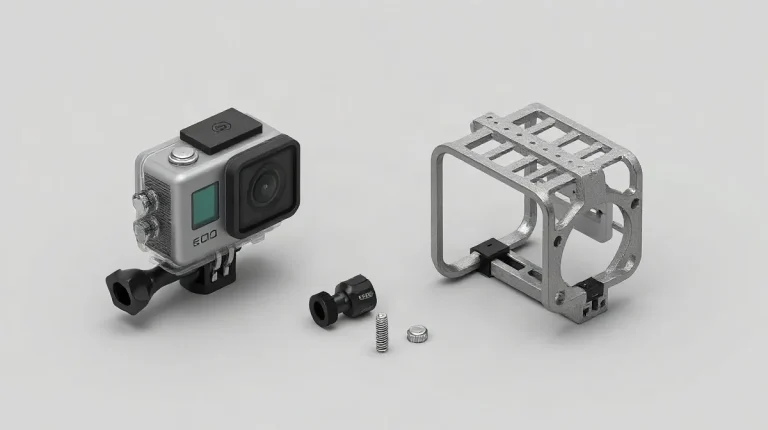
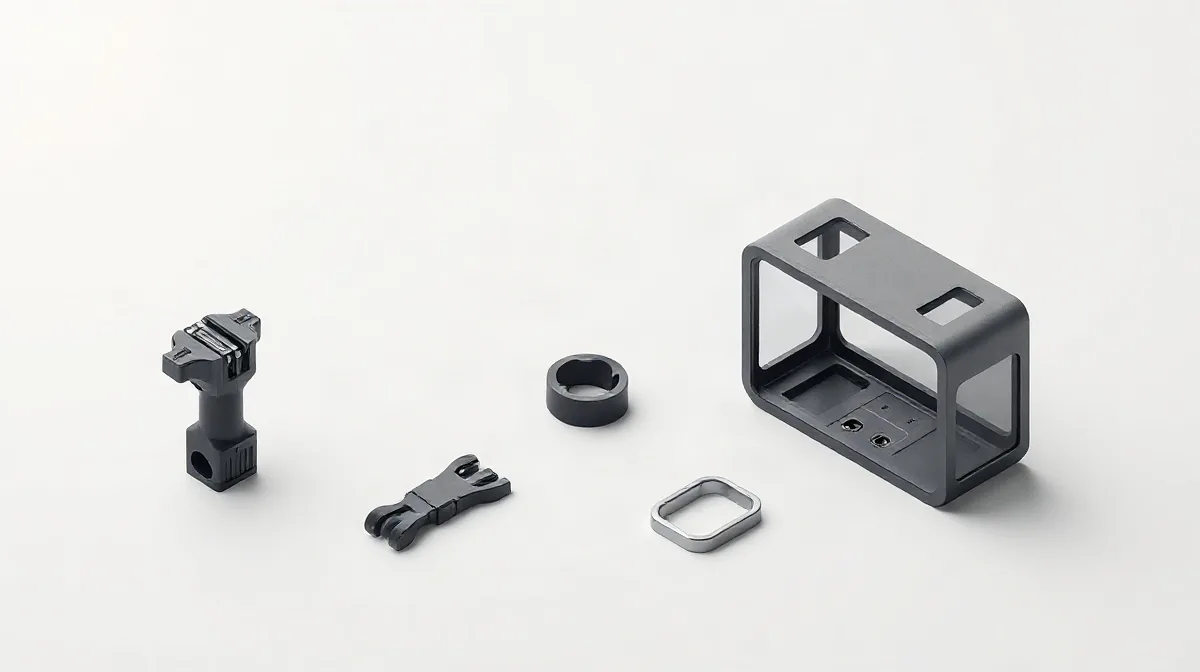
A frame or housing can add GoPro-style mounting fingers to a camera body that has none built in. A quick-release buckle then connects a compatible camera or housing to a mount base, but it does not convert every proprietary connector into a GoPro fitting. Treat the frame or housing, buckle, and base as separate interfaces to verify.
- Frame or housing: confirm it provides mounting fingers for your camera.
- Quick-release buckle: confirm the camera or housing is compatible with the buckle and that the buckle fits the base.
- Screw: check that the supplied screw fits the camera-side socket and the adapter; do not assume all screws match.
How can you check whether a mount will fit?
Camera-side fit
Check fit by matching the camera’s actual mounting point to the mount’s connector, then confirming the thumbscrew tightens without force. Start with the camera model name and inspect whether it has built-in mounting fingers, needs a frame or housing, or uses a tripod socket; those are different connection types, not interchangeable shapes.
- Built-in fingers or a frame/housing: compare the fingers on the camera side with those on the mount. Two-prong and three-prong pieces must interleave, with their holes aligned.
- Tripod socket: check that the mount has a matching tripod-screw connection rather than assuming a finger-style connector will fit.
Mount-side fit
Check the support-facing base separately: a connector that fits the camera does not guarantee that the other end suits a helmet, handlebar, or another surface. Confirm the base is designed for that specific support, then test the complete connection by passing the thumbscrew through the aligned fingers and tightening it by hand. If the pieces resist alignment or require force to close, stop and recheck the connector type and base.
What are the limits and common mistakes with universal mounts?
Universal GoPro mounts are not universally compatible: they cannot replace a proprietary clip system or provide an interface a camera does not have. Check that the camera’s mounting fingers match the mount and that its screw and connector seat fully; a similar-looking fit is not proof of a secure connection.
Fit is not the same as suitability
A mount that attaches to a camera may still be wrong for the surface or activity. A flat adhesive base is not a handlebar clamp, and adding a tripod adapter does not change what surface the base is designed to grip.
- Proprietary clip system: use it only with a matching clip interface.
- Flat adhesive base: choose it for a suitable flat surface, not as a substitute for a handlebar clamp.
- Tripod adapter: treat it as a connector, not as a surface-specific mount.
Extra joints need checking
An adapter adds another connection point between the camera and mount, so check every joint before use. Do not force mismatched mounting fingers or rely on a buckle that is only partly engaged; confirm that the screw and connector sit correctly and that each connection is secure.
How should you secure and test a mounted camera?
Secure a mounted camera by seating its camera-side fingers fully in the mount or buckle, tightening the thumbscrew, and gently testing the assembly by hand for movement. The fingers should sit inside the mount before the screw is tightened; a screw that feels snug is not enough if the camera can still shift.
Check every part of the assembly
Inspect the adhesive base or clamp where it meets the surface, then check the housing, adapter, and camera-side connection. Each part should fit the surface or camera it is intended to hold, with no visible looseness or movement during a gentle hand check.
Repeat the fit check whenever you change a frame, adapter, or mount base. A camera that held securely in one configuration may not seat the same way with a different part, so confirm the fingers are fully engaged and the thumbscrew is secure before using the new setup.