Choosing a Photo-Book Printer for Detail & Color
- Published
- Reading time
- 7 min read
- Prepared by
- LiteGallery editorial team
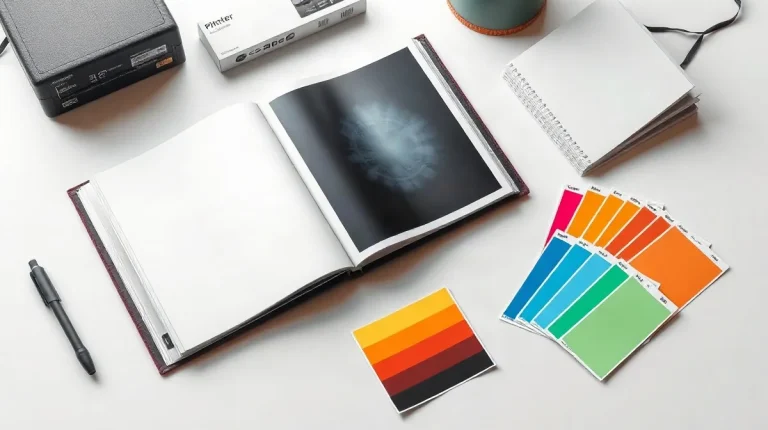
Choose a photo-book printer by comparing physical sample books made with the same kind of images you plan to print, then judge fine detail, skin tones, shadow gradation, paper, and consistency under neutral light. A printer’s claims matter less than whether its finished pages preserve the texture and color you care about.
Choosing a Photo-Book Printer for Detail & Color means looking beyond advertised features to how your photographs actually appear on the page. For a different kind of image-quality comparison, see our broader overview, «How to Compare Video Quality in Kids’ Action Cameras in Real-World Conditions».
| Criterion | What to compare | What to inspect |
|---|---|---|
| Resolution | Pixel dimensions and placed size | Fine detail in a full-size crop |
| Color | Accepted color mode and profile | Proof against a reference image |
| Paper | Surface, weight, and page stock | Glare, contrast, and page feel |
| Binding | Binding type and cover options | Gutter, page attachment, and opening |
How can you check whether a file has enough resolution for a photo book?
Pixel dimensions versus placed size
Check a photo-book image by comparing its pixel dimensions with the physical width and height it will occupy on the page, then assess its effective resolution at that size. A file’s pixel width divided by its printed width in inches gives its effective pixels per inch; repeat for height. The same file may work well as a small picture but look soft when enlarged to fill a spread.
- Small placement: Check the image’s pixel dimensions against the smaller printed width and height shown in the layout.
- Full-spread placement: Recheck those dimensions across the spread; an image that looks adequate as a small picture may lose visible detail when enlarged.
- Fine detail: Inspect a full-size crop containing hair, foliage, or lettering, rather than relying only on a preview of the whole page.
Photo-book layout software should be checked at the image’s actual placed size: the resolution value in the original file’s metadata does not, by itself, establish how much detail will print at that size. Before approving the layout, ask the printer whether it automatically enlarges low-resolution files and whether that setting can be disabled or the affected images flagged. That check helps distinguish a file that needs a smaller placement from one the printer would otherwise enlarge.
What should you ask about color reproduction?
Files, conversion, and proofing
Ask the photo-book printer which color mode and file profile it accepts, and whether its production workflow converts RGB files before printing. Get a clear answer about both the accepted input and any conversion step; “RGB accepted” alone does not tell you whether the printer changes the file before production.
- Accepted files: Confirm whether the printer accepts RGB and ask which file profile it requires.
- Conversion: Ask whether RGB files are converted before production, and how that affects the files you submit.
- Preparation instructions: Request the printer’s own file-preparation instructions and check them against the settings you use to export the book’s photographs.
A proof should be checked across more than a bright landscape image: inspect skin tones, deep shadows, and saturated colors. These subjects reveal different aspects of reproduction, so a landscape alone is not a useful substitute for checking them all.
Keep an unedited reference image alongside the proof. Compare the proof with that original to judge whether the printed color matches your intention, rather than relying on memory or a separate edited version.
How do paper surface and weight change the finished book?
Surface, weight, and page feel
Paper surface and weight change a photo book’s appearance and handling: gloss can show glare, matte can make contrast appear lower, and thickness and stiffness affect how pages feel and turn. Compare the printer’s actual matte, gloss, and lustre samples rather than relying on a surface name alone; inspect them under the light in which the finished book will be viewed.
- Matte: Check whether shadow detail and contrast remain clear under the intended viewing light.
- Gloss: Tilt the sample to see whether reflected light obscures parts of the image.
- Lustre: Judge the offered sample directly; its appearance can’t be established from the label alone.
Paper weight and paper thickness are separate specifications: weight describes the stock, while thickness and stiffness shape the page’s physical feel and turn. Ask whether the image pages and endpapers use the same paper or different stocks, then compare those samples as well. A heavier-weight specification alone does not tell you exactly how thick or stiff a page will feel in the bound book.
Which binding details matter for spreads and durability?
For spreads and durability, check whether the printer uses lay-flat binding, how much of an open image disappears into the gutter, the cover construction, and how the sample book holds together and stays open.
A lay-flat book can reduce the visual interruption at the center fold, but it does not guarantee that every part of a photograph will remain visible. Before choosing a spread layout, compare a single-page image with a photograph crossing the fold in the printer’s sample book; check whether important details near the center become hidden when the book is open.
- Binding and gutter: Ask whether the book is lay-flat, then inspect the center fold in an open sample to see how much of the image is lost.
- Cover: Confirm whether the book is hard- or soft-cover, and whether the printer offers a printed cover or a separate dust jacket.
- Construction: In the sample book, examine how the pages attach, whether the cover aligns with the page block, and how easily the book stays open without being held down.
These checks reveal practical differences that a digital preview cannot show: how a photograph behaves across the fold and whether the physical book opens and feels secure. Use the sample’s actual binding and cover options as the basis for your layout and format choice.
When can a cheaper or faster photo-book option disappoint?
A cheaper or faster photo-book option can disappoint when the source file, screen preview, paper surface or binding is not checked against the way the finished book will be viewed. A larger page cannot restore detail missing from a low-resolution photograph, and a bright monitor preview cannot guarantee the same appearance in print.
Common approval mistakes
- Source-file resolution: Check the photograph’s pixel dimensions before layout and consider the size at which it will be printed. Enlarging a low-resolution file may make softness or missing fine detail more visible, not recover what the file lacks.
- Monitor preview: Screen brightness and a printed page are different viewing conditions. Treat an on-screen image as a layout preview, not as a paper proof of the final colour or tonal appearance.
- Glossy surface: A glossy sample can look vivid in one light and reflect distracting highlights in another. Assess the surface under the lighting where the book is likely to be viewed.
- Binding gutter: A photograph crossing the centre fold can lose content in the binding. Keep faces and fine detail away from the gutter, or review that spread carefully before approving the layout.
These checks address different risks: file detail, viewing conditions, surface reflections and content lost at the fold. A quick approval based only on a screen image can miss all four.
Frequently asked questions
Should I judge a photo-book printer from its website gallery?
What should I send a printer before ordering?
Is glossy or matte paper better for photographs?
Can I put an important subject across a two-page spread?
Key takeaways
- Judge resolution at the image’s placed size, not by file metadata alone.
- Compare color using a proof and a reference image, not a screen preview alone.
- Inspect the printer’s actual paper samples for surface, weight, glare, and page feel.
- Keep faces and fine detail clear of the binding gutter unless a sample proves otherwise.