Walgreens Photo: Prints, Pickup and Gifts
- Published
- Reading time
- 7 min read
- Prepared by
- LiteGallery editorial team
Walgreens Photo offers photo prints, same-day pickup at participating stores, and personalised photo gifts. You can choose a print or gift, place an order online, and select pickup or delivery where available.
For a quick way to get prints without waiting for shipping, store pickup may be the practical choice; gift options suit photos you want to turn into something more personal. Availability and timing depend on the product and location, so check the details for your selected item before ordering.
| Option | Available detail | What to check |
|---|---|---|
| 4-by-6 print | Glossy or matte; $0.39 for local pickup | Finish and final order total |
| Multiple sizes | Choose more than one size for an image | Crop and size in the preview |
| Custom photo mug | Porcelain; microwave safe | Current product details and price |
| Pickup or delivery | 30-Minute Pickup or 1-Hour Delivery free for orders over $35 | Eligibility and option shown at checkout |
- $0.39 Price of a 4-by-6 glossy or matte print for local pickup
- $0.42 CVS price for a 4-by-6 print, for comparison
- over $35 Order threshold for free 30-Minute Pickup or 1-Hour Delivery
What can you order through Walgreens Photo?
Walgreens Photo lets you order 4-by-6 prints in glossy or matte finish for local pickup, select several print sizes for one image, make basic edits such as adjusting the crop, and create custom porcelain photo mugs described as microwave safe.
Prints and editing
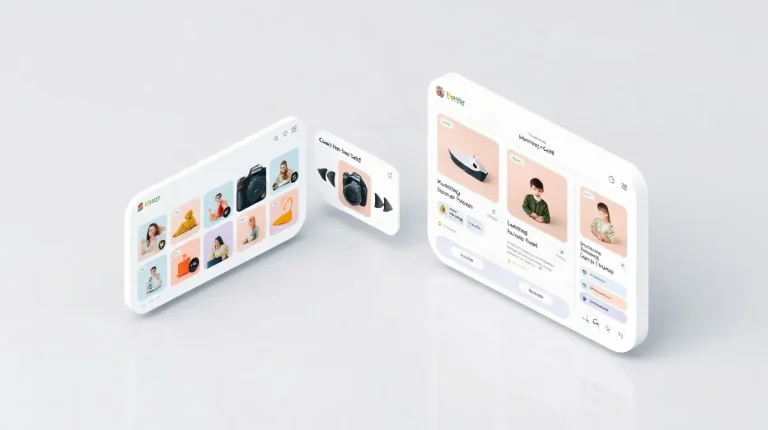
The Walgreens Photo ordering interface lets you choose more than one print size for the same image, so you can order different formats without starting a separate image upload for each size. Before checkout, use its basic editing tools to adjust the crop and check which part of the photograph will appear in the print.
- 4-by-6 prints: Choose glossy or matte and select local pickup.
- Multiple sizes: Apply different print sizes to one image in the ordering interface.
- Basic edits: Adjust the image crop before placing the order.
Photo gifts
Walgreens Photo also offers custom photo mugs made from porcelain. The mugs are described as microwave safe, a useful detail if you plan to use the finished gift for everyday drinks. Check the product listing during ordering for the current design options and care details.
How much does a Walgreens Photo print cost?
A 4-by-6 glossy or matte Walgreens Photo print costs $0.39 for local pickup. That is slightly less than CVS’s $0.42 price for a print of the same size.
This is a print-and-pickup comparison, not a full estimate for a Walgreens Photo order. A cart with other print sizes or photo gifts, such as a custom mug, can have different costs.
What to check before checkout
- Print type and size: The $0.39 reference applies to a 4-by-6 print in glossy or matte finish, picked up locally.
- Other products: Gifts and prints in other sizes are not covered by this price comparison, so check their listed prices in your cart.
- Current offer and total: Review the order total and any current offer before checkout; the final amount may differ from the cost of one pickup print.
How do pickup and delivery work?
Walgreens Photo offers 30-Minute Pickup or 1-Hour Delivery for free on orders over $35; the option available depends on your order and location.
Check the delivery threshold in your basket before counting on free delivery. If your order does not meet the stated minimum, the free offer may not apply.
Choose fulfillment at checkout
- 30-Minute Pickup: Select this when it appears for your order and location. Local pickup is also available for 4-by-6 prints.
- 1-Hour Delivery: Choose this if it is offered at checkout, and confirm your basket qualifies for the free-delivery threshold.
Walgreens Photo does not use the same fulfillment route for every product. Check the choices shown at checkout for the specific items in your basket rather than assuming that pickup or delivery is available for all prints and gifts.
How should you prepare a photo file before ordering?
Prepare each Walgreens Photo image by choosing its print size, checking its crop, selecting a finish for 4-by-6 prints, and reviewing the final preview and quantity before paying.
- Choose a size for each image. Walgreens Photo lets you order the same image in multiple print sizes, so set the size that suits each use rather than assuming every photo needs the same dimensions.
- Review the crop. Use the basic editing interface to inspect how the image fits the selected size. Pay particular attention when a face or other important subject sits near the edge: cropping can cut it off, so adjust the framing before submitting.
- Select the finish for 4-by-6 prints. Walgreens offers glossy and matte. Choose glossy for a more reflective surface or matte for a less reflective one; the right option depends on the look you want.
- Check the order builder. Before paying, inspect the final preview and confirm the quantity for each image and size. This is the last chance to catch an unintended crop or an incorrect number of prints.
Keep the checks tied to each print option: changing a size can change the crop, and ordering multiple sizes of one image means reviewing each version rather than relying on a single preview.
When should you avoid using Walgreens Photo for an official ID?
A Walgreens Photo print should not be used for an immigration form until you have checked the official photo rules for that form: a print ordered for personal use is not automatically compliant.
For USCIS forms, the age of the photo matters. USCIS guidance limits the use of photos to images taken within three years of the date a person files a USCIS form. The guidance took effect immediately.
USCIS said COVID-19-era flexibilities allowing photo reuse for up to 10 years remained in place longer than necessary, even when a person’s appearance changed significantly. Check the current USCIS instructions for your form before ordering or submitting a photo.
What to check before printing
- The form’s official photo rules: Confirm the required image specifications and whether your existing photo can be used.
- The photo date: For USCIS forms, make sure the image was taken within three years of the filing date.
- The finished image: Walgreens Photo offers basic edits and different print sizes, but neither editing tools nor a convenient size establish that a photo meets USCIS requirements.
If the form’s instructions are unclear, check with USCIS before relying on a store print. A correctly sized print can still fail to meet the requirements for the image itself.
How should you weigh convenience against quality and price?
Weigh Walgreens Photo’s convenience against quality and price by treating the $0.39 4-by-6 pickup print as a useful comparison point, then checking the crop and the final cost of the item you actually want.
- For a small print order: Walgreens charges $0.39 for a 4-by-6 print for local pickup, slightly less than CVS’s $0.42. That makes the basic print price easy to compare, but it does not tell you what larger prints or gifts will cost.
- For choosing and editing prints: Walgreens shares its photo-ordering interface with Snapfish and offers more options than CVS. You can select multiple sizes for an image and make basic edits, which suits straightforward orders. Check the crop yourself before submitting so the subject is framed as you intend.
- For a gift: Walgreens offers custom photo products such as mugs, but the print price is not a guide to gift pricing. Review the current product details and the final price in the order flow before placing your order.
Frequently asked questions
How much is a 4-by-6 print at Walgreens Photo?
Can I choose glossy or matte prints?
Does Walgreens Photo offer pickup or delivery?
Can I use a Walgreens Photo print for a USCIS form?
Key takeaways
- Walgreens Photo’s 4-by-6 glossy or matte print costs $0.39 for local pickup.
- The ordering interface supports multiple sizes for one image and basic edits.
- Free 30-Minute Pickup or 1-Hour Delivery applies to orders over $35.
- Custom porcelain photo mugs are described as microwave safe.
- For USCIS forms, check the three-year photo rule before ordering.
Sources
- PCMag — “The Best Photo Printing Services We've Tested for 2026”
- Walgreens Photo Blog – Walgreens Photo — “Create Custom Photo Mugs”
- walgreens.com — “Walgreens: Pharmacy, Health & Wellness, Photo & More for You”
- play.google.com — “Snapfish: Prints + Photo Books – Apps on Google Play”
- USCIS — “New Photo Policy Helps Prevent Immigration Fraud Through Enhanced Identity Verification”