Panning Photography: Track Moving Subjects
- Published
- Reading time
- 9 min read
- Prepared by
- LiteGallery editorial team
Panning photography tracks a moving subject by following it with your camera during the exposure, keeping the subject relatively sharp while the background blurs. Use a shutter speed slow enough to show motion, then move the camera smoothly at the subject’s pace.
The technique takes practice: even movement matters more than simply choosing a slow shutter speed. Panning photography works especially well with subjects moving across your frame, such as cyclists, runners or vehicles. Start by matching your camera’s movement to the subject, and adjust the shutter speed to balance subject sharpness with background blur.
| Subject or condition | Starting approach | Main adjustment |
|---|---|---|
| Slow-moving cyclist | Try 1/4 | Increase speed if the subject blurs |
| Fast car | Try 1/125 | Match the pan to the car’s movement |
| Bright scene | Use a slow shutter speed as needed | A variable ND filter reduces incoming light |
| Subject moving toward or away | Expect less classic horizontal blur | Reconsider the angle or technique |
- 1/125 Example shutter speed for a fast car
- 1/30 sec Shutter speed in the Nikon Z9 and 85mm lens example
- 1/15 sec Shutter speed in the Nikon Z7 and 14mm lens example
What is panning photography, and how does it work?
Panning photography is a technique in which you turn the camera to follow a moving subject while the shutter is open, keeping the subject comparatively sharp as the background blurs.
As the subject moves across the frame, match its direction and pace with the camera. When the subject’s movement across the frame is matched by the camera’s movement, it stays in roughly the same position on the sensor during the exposure. The background does not: it shifts across the sensor, recording as directional blur.
That contrast makes motion visible. A cyclist, car or runner can retain recognizable detail while the streaked surroundings show the direction of travel. Panning works best with subjects moving across your field of view; movement straight toward or away from the camera does not create the same lateral background blur.
Why shutter speed matters
A slower shutter speed gives the background more time to move across the sensor, strengthening the blur, but it also makes camera movement harder to match. A faster shutter speed records less background streaking. The useful setting depends on how quickly the subject moves, so panning is a balance between tracking and exposure rather than a fixed camera setting.
How should you choose a shutter speed for panning?
Choose a slow shutter speed in Shutter Speed mode—Tv on Canon cameras and S on other cameras—then adjust it to the subject’s speed and how consistently you can track it.
Start with shutter speed
For panning, the shutter stays open long enough to record movement in the background while you follow the subject. A slower setting creates more background blur, but it also makes a sharp subject harder to maintain: even small tracking errors show up in the image.
- Slow-moving cyclist: 1/4 is a starting point for creating pronounced background movement.
- Fast car: 1/125 is a starting point when the subject crosses the frame more quickly.
These examples are starting points, not guaranteed settings. The right shutter speed depends on how fast the subject moves and how smoothly you can match its motion. If you can follow it steadily, try a slower speed for stronger blur. If the subject loses sharpness, use a faster speed and review the next frame.
Check both parts of the result: whether the subject is acceptably sharp and whether the background shows enough movement. Adjust the shutter speed, shoot again, and review before settling on a setting.
How do focal length and exposure change a panning setup?
Focal length changes how much of the scene enters the frame, while shutter speed controls how strongly motion blurs; aperture and ISO help balance exposure around that choice.
- 85mm setup: A Nikon Z9 paired with an NIKKOR Z 85mm f/1.8 S uses 85mm, 1/30 sec, f/4.5 and ISO 100. The longer focal length frames a narrower view, while the shutter speed allows motion blur during the pan.
- Wide-angle setup: A Nikon Z7 with a NIKKOR Z 14-24mm f/2.8 S uses 14mm, 1/15 sec, f/2.8 and ISO 125. At 14mm, more of the surroundings fit in the frame; the slower shutter speed also gives moving details more time to blur.
These are different combinations, not universal recipes. The subject’s speed, its distance and the amount of background blur you want all affect the shutter speed and framing that work. Aperture and ISO then help you reach a suitable exposure without changing the intended motion effect.
Managing bright light
A variable neutral density filter reduces the light entering the lens, which can help you keep a slow shutter speed in bright conditions. Adjust it while checking exposure, then practise the pan at the chosen focal length: a setting that works for one subject or scene may not suit another.
How do you track a subject smoothly from start to finish?
To track a subject smoothly, choose a clear path, start panning before you press the shutter, and keep the subject in the same part of the frame throughout the exposure.
Watch the subject’s route and choose a stretch where its movement is easy to follow. Turn your upper body and camera together, rather than swinging the camera with your arms alone. As the subject moves across the frame, keep its position steady in the viewfinder; this gives you a consistent pan to match against the subject’s motion.
With a slow shutter speed, even a small change in your pan can shift the background blur or soften the subject. Follow at the subject’s pace, press the shutter while you are moving, and resist the urge to stop when the exposure begins.
Follow through after the exposure
Continue the pan after releasing the shutter. That follow-through keeps the camera moving through the end of the exposure instead of introducing a sudden stop.
- Subject sharp, background blur runs in its direction: keep the pan steady and test a different shutter speed if you want to change the amount of blur.
- Subject soft: work on matching the subject’s movement with the camera.
- Background blur uneven or angled: check that your upper body and camera turn together along the subject’s path.
Change one variable at a time: adjust your movement to improve tracking, or change the shutter speed to alter the blur. Reviewing both the subject and background in each frame helps show which adjustment to make next.
When does panning fail, and what can you change?
Panning is less reliable when a subject moves toward or away from the camera, or when your camera’s movement fails to match the subject; adjust your tracking or shutter speed to suit the motion.
A subject crossing the frame horizontally gives the camera a clear direction to follow, which helps create streaked background blur. A subject coming closer or moving farther away changes its position differently, so the classic panning effect is harder to achieve. Keep the subject’s movement in view and judge the result by whether it stays sharp.
Adjust the blur and exposure
- If the subject is blurred: Your camera may not be matching its motion. Try a faster shutter speed, or track more smoothly through the exposure.
- If the background looks static: A slower shutter speed can make the blur more visible, but it also demands more accurate tracking.
- If bright light limits your shutter choice: A variable neutral density (ND) filter reduces the light entering the lens, giving you more room to choose exposure settings. Nikon names the PolarPro Peter McKinnon Variable ND Signature Edition II as an example.
Use the slower setting only if you can keep the camera’s movement steady relative to the subject; otherwise, the extra blur may soften the subject too.
Which panning settings should you test for common subjects?
Test 1/4 for a slow-moving cyclist and 1/125 for a fast car, then judge each frame by how sharp the subject is and how much background blur you want.
- Slow-moving cyclist: Start at 1/4. Check whether the cyclist is sharp and the background blur is clear; adjust the shutter speed if either needs work.
- Fast car: Start at 1/125. The result still depends on how smoothly you track the car and on the scene, so inspect the image rather than treating this as a fixed setting.
- Sports action moving laterally: Give the subject a clean path across the frame, track it steadily, and keep panning after you release the shutter.
These starting points are not interchangeable presets: a subject’s speed and your tracking both affect the result. Use shutter speed mode—Tv on Canon cameras or S on other cameras—to test a setting while keeping control of the exposure.
Keep a record for each location
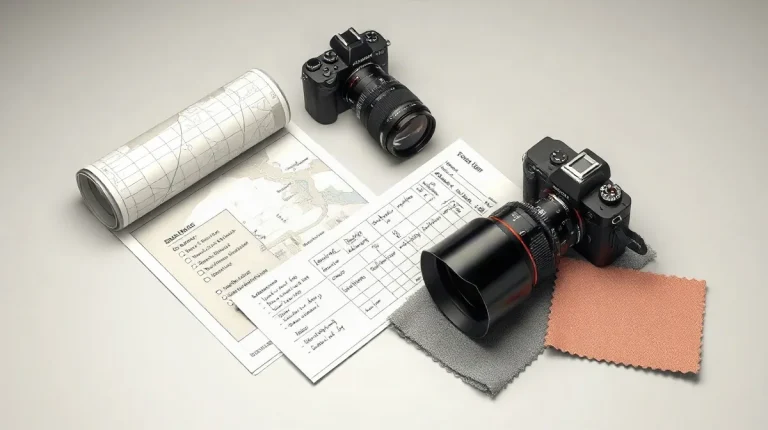
Write down the shutter speed and exposure choices that work at each location. When you return, those notes give you a practical starting point; check the new light and motion before repeating or refining the settings.
Frequently asked questions
What shutter speed should I use for panning photography?
Should I keep moving the camera after taking the picture?
Does panning work for subjects moving toward the camera?
How can I use a slow shutter speed in bright light?
Key takeaways
- Panning tracks a moving subject while a slow shutter speed blurs the background.
- Start in Tv or S mode and adjust shutter speed to subject speed and tracking accuracy.
- Keep following the subject after releasing the shutter.
- A variable neutral density filter reduces incoming light when bright conditions constrain shutter speed.
Sources
- Complete Guide — “13 Panning Photography Tips”
- Skylum Blog — “What Is Panning Photography: Guide For Creators”
- Beach Camera — “Photographer's Guide to Panning Shot Photography”
- phototipsgalore.com — “Panning Photography: Mastering the Art – Photo tips galore”
- VIEWBUG — “Panning Technique for Sports Photography: Capturing Motion with Impact”